Posts

Showing posts from November, 2017

How to Remove Notch From iPhone X

Image
After the launch of iPhone 10 AKA i-Phone X, you might have heard a lot of jokes and memes, and many trolls about its cutting edge notch design on the top, many or i can say 90 out of 100 dislikes its new Notch design approach, but we all know that it has some amazing features as well, so if you are interested in Buying iphone X but the Notch is becoming a deal breaker for you then i have a solutions for this, in this post i will show you that how to remove the Notch from your Iphone X. So to remove notch from your iphone X you will have to download an app called � Notch Remover � also its not FREE so you will have to pay $ 0.99 for this notch remover app. Just buy it from app store and install it on Your iPhone X, Now Go to Settings >> Notch Remover >> Photos >> Read and Write , after this, open it up and Save the Wallpaper, now you will be able to use these wallpapers and and by scaling up & down you can add a black bar at the top, so that it will look like th...
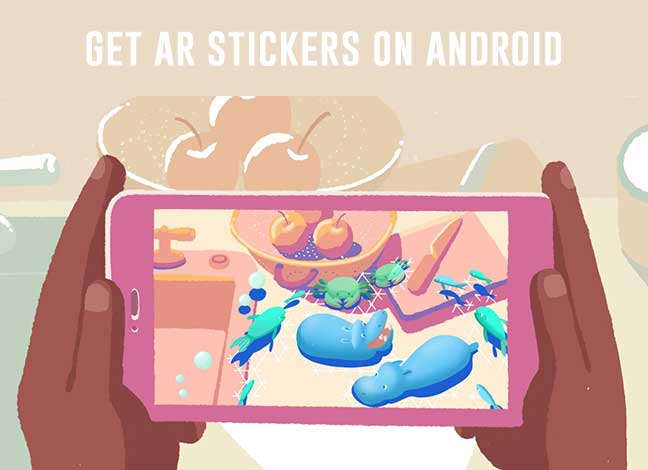
Get Pixel 2 like AR Stickers on Any Android without Root

Image
Want to install and use Pixel 2-like AR Stickers on Android? You're just at the right place for it. Google Pixel 2 is a setting trend because of its new features. It comes with loads of new features including a revamped launcher, Google Camera with Motion Photos, Active Edge, Google Product Sans Font and more. There's another cool feature that we haven't talked about yet - AR Stickers . The feature is not yet part of the Pixel 2 or older Pixel devices that you have. But it is scheduled to roll out soon. While you wait for them officially, you can still use some alternatives and try them out in real life - How they work, and all. So, in today's article, we will guide you on how to get Pixel 2-like AR Stickers on Android without Root. Before we go ahead, I will explain you about the Pixel 2 AR stickers and what they are, a little bit. And then finally we will see how to get them on our Android devices. What are AR stickers? AR stands for "Augmented Reality" a...

Update MIUI 9 Global Stable on Redmi Note 4 & Mi Max 2

Image
As you might know that Xiaomi has already launched their latest Android skin MIUI 9 for many devices and the first batch of this update is received by Xiaomi redmi Note 4 and MI Max 2 devices, so in today's post I will be showing you that how to update your device to MIUI 9 if you haven't got the OTA update yet, This post will tell you that how to manually flash MIUI 9 stable version on your redmi Note 4 and MI Max 2, make sure your device is running on stable MIUI 8 version, and your phone has enough battery to at least last for 20 minutes I would recommend you to charge your device up to 60%. the method does not require unlocked bootloader or root access so you can flash MIUI 9 stable version on your virgin redmi Note 4 device or MI Max 2 process remains same for both of the devices, now I would like to tell you that backup your device before proceeding, (there is no fear of any data loss, but choose the safer side and backup, this method does not wipe any kind of data presen...

Solved: Xiaomi Mi A1 Stuck At Mi Logo, UnRoot, Unbrick Mi A1 Device

Image
Hello and welcome guys, in today's post I will be showing you that how to unbrick your Xiaomi Mi A1 device, sometimes when you think to root your device and flash the wrong zip file it can cause the bootloop issue on your device, or Stuck at Mi Logo issue on Mi A1. also in some cases if you have rooted your Xiaomi Mi A1 device and want to unroot it but you don't have any options to UNROOT the device you can follow this post to unroot your Mi A1 device as well, so basically in this post I am going to show you that how to flash MI A1  stock ROM on the device which can also Unbrick Your device from bootloop (if stuck) let's start the process, Requirements: Required USB Drives should be installed on Your PC  (Yaa PC is must) Bootloader should be Unlocked (i think) Xiaomi Mi A1 Stock ROM File MiFlash Tool Unlocking the bootloader of Xiaomi Mi A1 device is quite easy and I have also made a video about the same, I know if your device is stuck on Mi Logo then you don't have an...